Womier SK75 TMR Hybrid Mechanical/Magnetic Keyboard
Wow. Sometimes a board comes along that just recontextualises how you think about keyboards. Womier’s SK75 TMR is a glorious, hulking, hunk of aluminium with a beautifully simple, restrained design that makes it a very strong contender for the gamer/professional.
Womier were kind enough to supply me with the SK75 TMR and their new “We have GMK Black & Gold At Home” Spade keycaps. While the keyboard doesn’t quite deliver in the acoustics department, it’s one of the few boards that have impressed me right out of the box; It just looks and feels that little bit special.
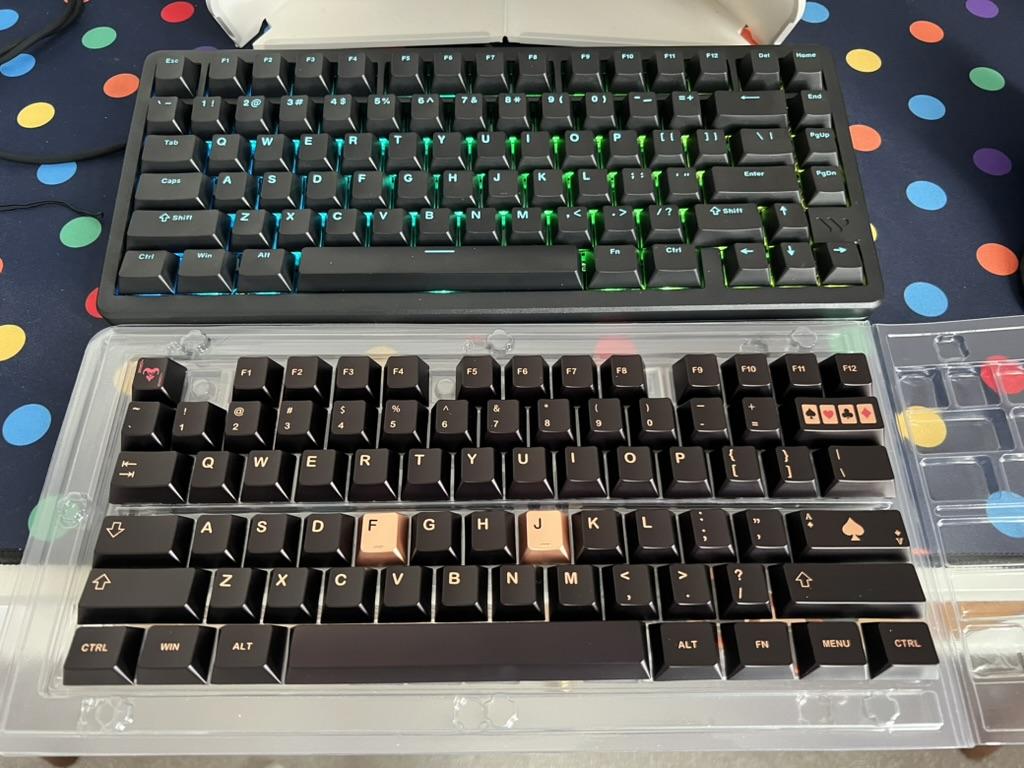
The stock caps are nice, but these are nicer.
It’s not just that the design is minimalist, but the greyish black, powder-coated aluminium finish – complete with a dash of glitter – has something of a warm, natural look to it. “Warmth” is, consequently, exactly the lingo that Womier use when describing this finish on their regular SK75, and I think it goes some way toward capturing how it feels. The weight, a contrasting, rough, lighter grey, has the feeling of raw stoneware about it. It looks and feels sintered – hewn out of smaller particles of metal by fusing them together with heat – but it’s just a surface treatment. Combined with rounded corners and a gentle edge chamfer, SK75 TMR feels like something out of time- vintage, individual and tickles the memory of some long forgotten 90s tech from my childhood.
With a copper edge detailed FR4 plate, and some oddly juxtaposing but strangely also perfectly apt black keycaps with electric blue legends, the SK75 TMR takes – I think – the grand prize for keyboard that looks most underwhelming in its product photography, and yet so brilliant in the flesh. Having painted aluminium plates black with a glitter finish, I know all too well how hard a surface finish is to photograph, and there’s just no way I can communicate how nice an object this keyboard is without… well… just describing it.
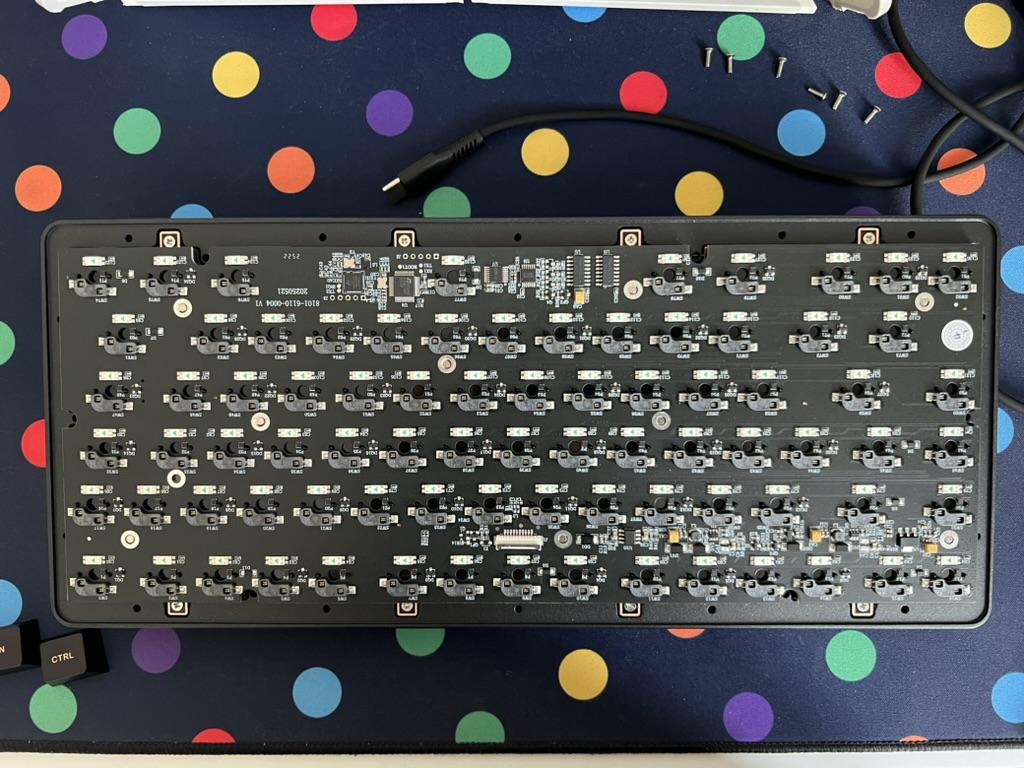
The Womier SK75 TMR is an unashamedly rock-solid top-mount board.
The downside, for me, of SK75 TMR is that it’s an unashamedly top-mount board. That means the plate and PCB assembly is screwed firmly to the top shell and has no play nor movement whatsoever. This has implications both for the typing feel – TMR is rather unyielding and unforgiving to type on, but this comes at perhaps the rather relevant (for gaming anyway) benefit of reliability and consistency. It’s also not the nicest sounding board I’ve ever tried. It’s not the worst, but the spacebar has a bit of rattle and the general soundscape of typing (if you care about such things) is rather underwhelming. I would say that it sounds bad, unsatisfying and unsophisticated to the extent that even an untrained ear, or keyboard novice, might have something to say about it. Womier seem to be aware of this and promise updated switches to bring some life to the SK75 TMR’s sound. Of course I already have a bunch of Wuque’s Flux switches, which I’m confident are going to be a tough contender to beat- will they fix the SK75 TMR’s sound? Let’s see…
Oof, hold on a minute while I… well I delegate the task to mini-me…
Okay and swap out the switches…
Okay it hasn’t made the difference I hoped it would, but I’d swear the key presses sound a little crisper. The persistent rattle of the spacebar is ever present though, sounding like bottles clinking in the back of a car, or a ride through the peak district on a particularly old train. I think this board is cursed to sound bad without bringing to bear significantly more than my own limited experience to tweak and tune it.
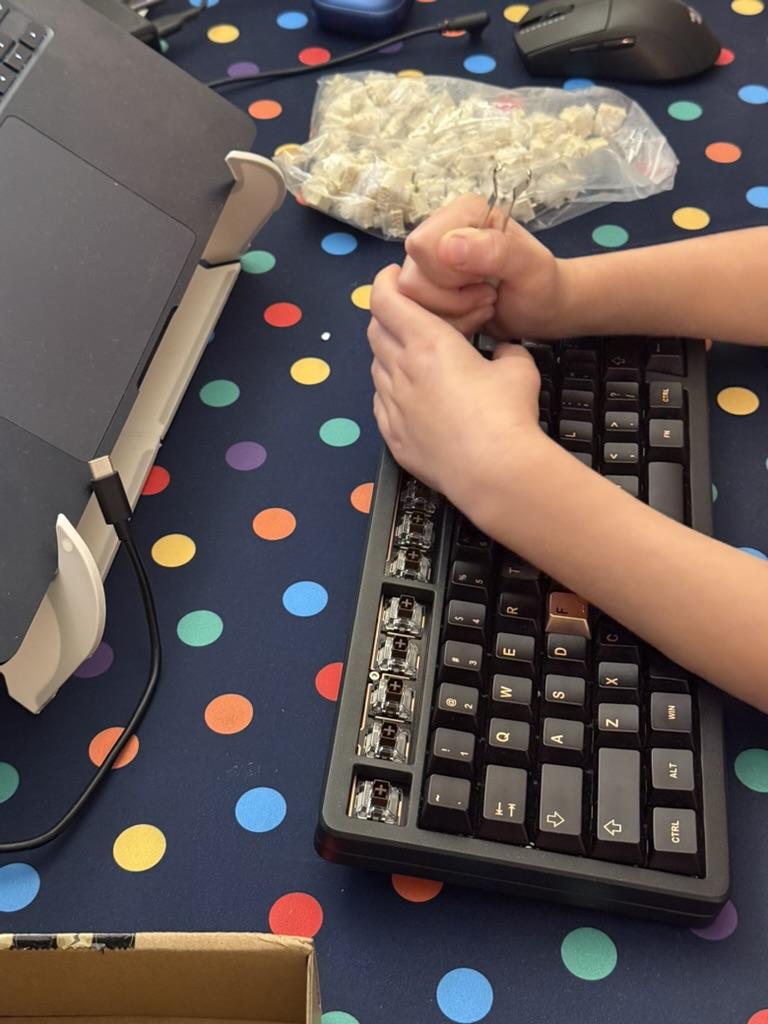
Automated keycap remover!
A saving grace- the switch swap was straight-forward and the SK75 TMR carried on working just fine with Wuque’s big ol’ magnets.
Similarly swapping from magnetic switches over to mechanical ones- Womier’s Grey Full POM for their high actuation force – was easy and uneventful. Pop off the caps, pull out the magnetic switches (sheesh Flux can be a nuisance to pull sometimes) and pop in the mechanical ones. No configuration necessary, the switches just work when the board is powered on.
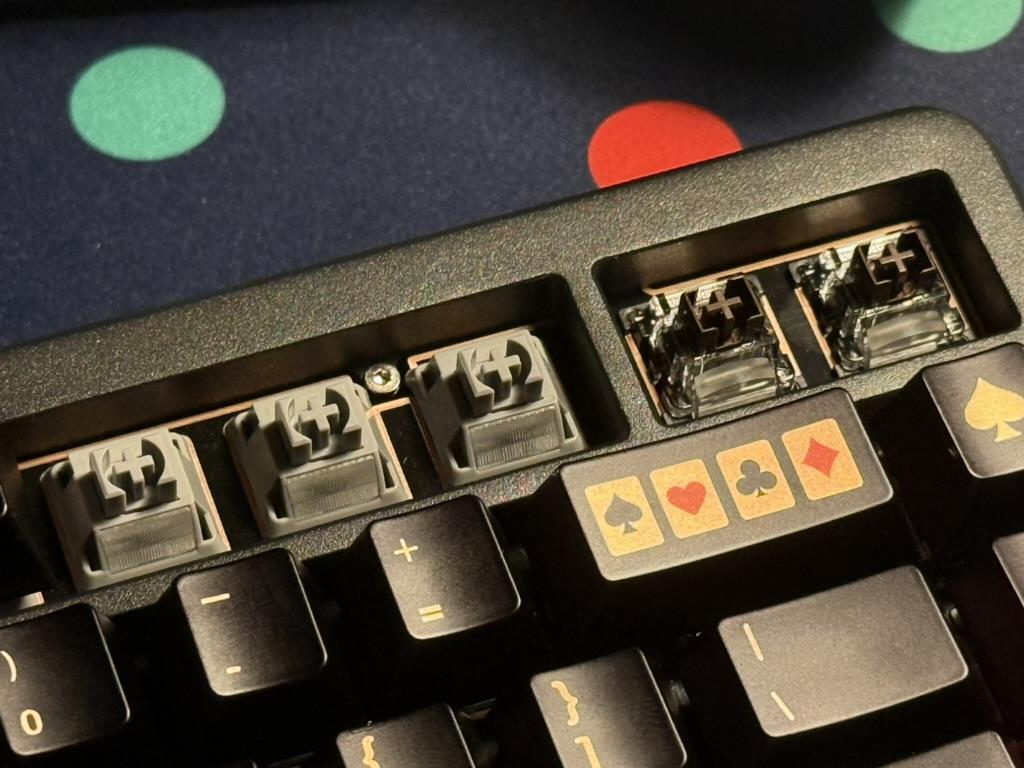
The hybrid SK75 TMR lets you mix and match both magnetic and regular switches.
Notably the heavier weight of Womier’s Full POM switches did much more justice to the SK75 TMR’s sound than the Flux. I’ve said I want heavier weight magnetic switches, and I feel that want is justified here. Aside from the potential benefits with hitting the full range of switch motion, the heavier weight has dampened the bottom-out sound on the SK75, leading to a less severe clatter. It’s still not perfect, and a little ironic that mechanical switches make a magnetic board sound better, but maybe mixed switches is the answer.
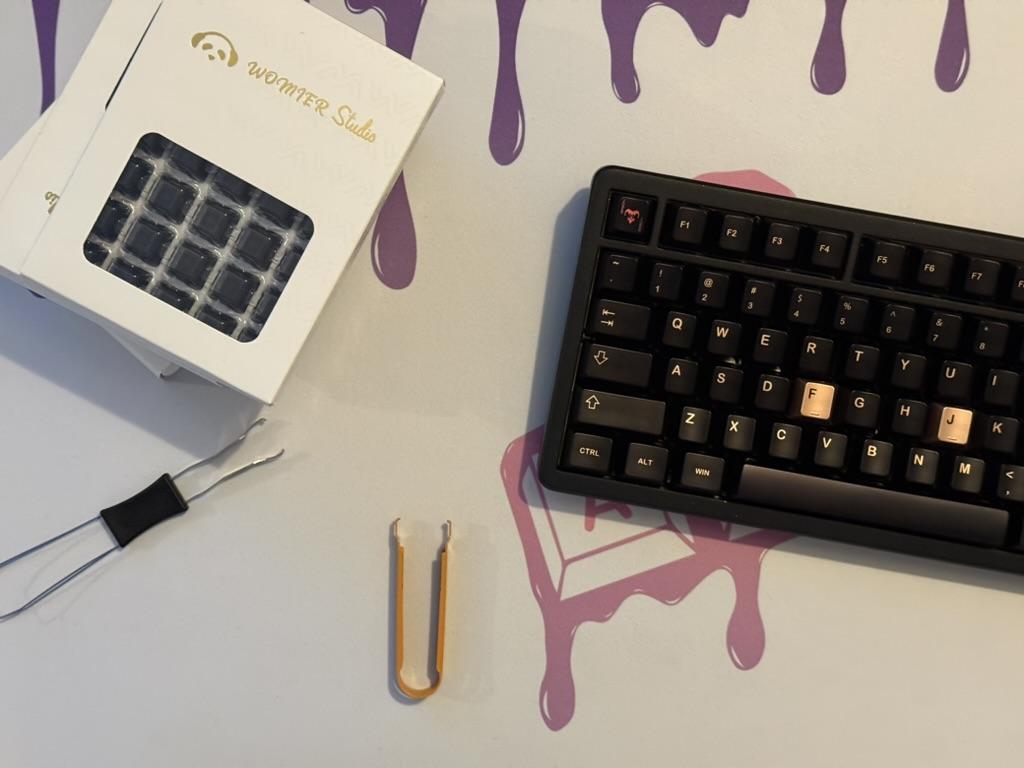
A full set of Womier Void magnetic switches to upgrade the SK75 TMR.
I reached out to Womier regarding the sound of the SK75 TMR and they offered to send out their coming-soon Void switches, now available on their website which will become an option for new SK75 TMRs. As luck would have it, the Void switches made a difference, taking the SK75 TMRs sound from bad, through passable and within grasping distance of acceptable. A big part of this seems to be that aforementioned heavier actuation force. While the Void switches are only slightly heavier than the stock Outemu Tea magnetic switches, it makes all the difference, damping the sound of the SK75 TMR and helping to correct the spacebar rattle. It’s still far from perfect, but for the most part it’s tolerable.
You can listen to sound tests of the Stock Switches and Void Switches captured in 32bit float on a ZOOM H6 Studio almost touching the board, and normalised for a wide dynamic range. Keep your volume mid to low when listening to these, the board is not at all loud!
Hybrid Hall-Effect/Mechanical
SK75 TMR is the first keyboard I’ve tested that offers a hybrid design- hall-effect sensors combined with standard hot-swap switch sockets. The promise is that you can use HE switches where they are needed, and deck out the rest of your board with your preferred style of regular switch. As such this is the first HE keyboard where I can confidently say you can use tactile or clicky switches… however they will not have any of the benefits of hall-effect (sensitivity tuning, multi trigger, etc).
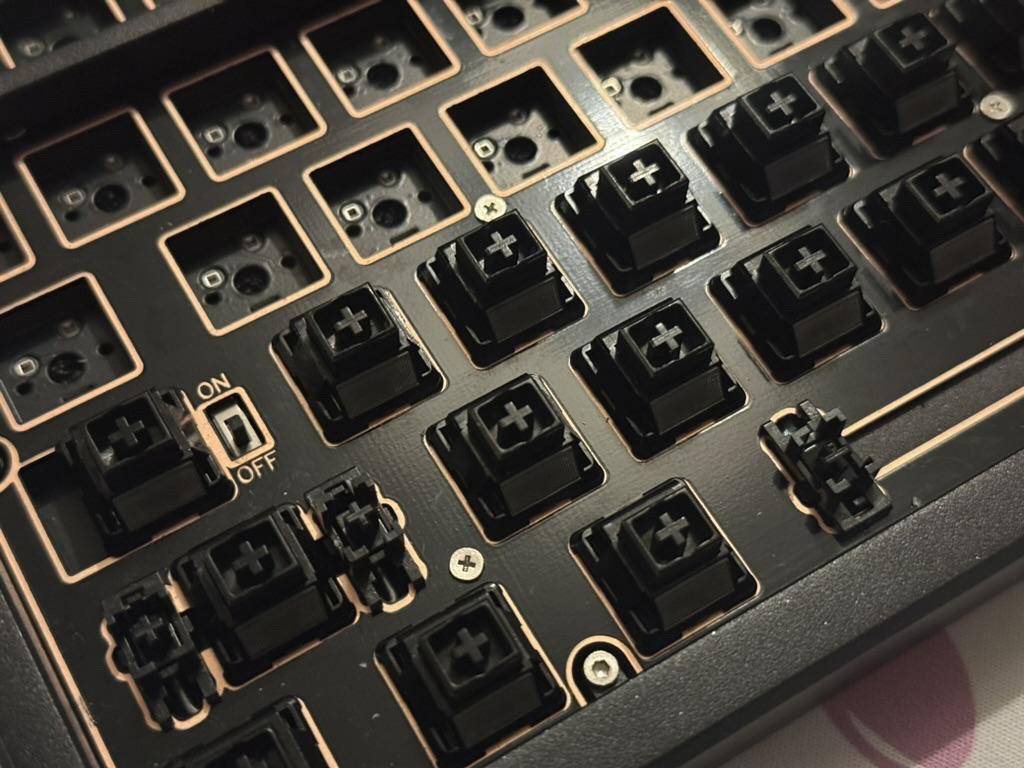
Since the TMR sensors can be offset from the middle and still reliably detect magnetic switches, it leaves room for regular hotswap sockets.
Whether or not you’re comfortable typing on a mixed switch board might be debatable, but an entirely justified setup would involve 90% regular switches, with a smattering of hall-effect macro switches for specific games. While you could even feasibly hot swap between the two, you probably won’t want to. While HE switches don’t suffer from the threat of bent pins or broken hotswap sockets, frequently swapping regular switches might be tempting fate a little too much.
After finding the stock Outemu magnetic switches a little clacky for my taste, I swapped the alphas – except WASD – to Womier’s Grey Full POM switches. As mentioned above, this was an easy swap with no need to reconfigure or recalibrate. What surprised me in particular was the lack of any really noticeable difference in feel between the magnetic and regular switches, and that was with the heavier weight greys. A mixed magnetic/regular switch board feels like a very viable proposition, with the extreme caveat that you’re only running linear switches or, at least, are not tripped by up a deliberate difference in feel.
Software
Perhaps SK75 TMR’s biggest flaw is the software. It tracks behind the current state of the art by being the good ol’ Windows-only executable type. This, however, might actually offer some benefits, since web-based software has some limitations – especially with respect to macro recording – which make it suboptimal.
Eschewing the “Sparklingplayjoy” software that powers so many Hall-effect keyboards (those from Gravastar, Chilkey, FL Esports and Royal Kludge to name but a few of the twelve or so I’m aware of) allows Womier to offer a better experience in some regards. As long as you’re not a macOS or Linux user in any case.
One of Womier’s particularly unique quirks (though other boards can get possessive about particular keys too) is its refusal to allow some “system” functions on keys to be rebound. From a lowest-common-denominator user point of view this makes sense, but I feel by the time you’ve got the software up and running and you’re looking to remap your function layers… you kinda know what you’re getting into.
This would be less frustrating if some of the system functions actually worked. The manual – which seemed to document all the wrong key combinations? – suggested that Fn + M held for three seconds would switch into macOS mode. It did not. Nor four, nor five seconds, or repeated mashings, or any other incantations. Sure enough this combo is marked as a system function in the software, but it just doesn’t work. Thankfully I was able to manually swap Windows and Alt so I didn’t drive myself crazy constantly re-training my fingers across different keyboards, but I should have been able to do this out of the box with the Fn shortcut. Can’t we have dip-switches on more boards, please!?
After some sleuthing I broke out of the macOS only container by finding https://qmk.top/ which works in the browser (well, Chrome, Chromium, Edge or other Chrome derived browsers) and offers cross-platform support for remapping keys and other sundry things.
Teardown
Despite hiding the screws – thankfully not under the rubber feet – the SK75 TMR is easy enough to take apart. Removing just twelve keycaps – each pair revealing a single hex head screw around the top shell circumference – grants access to not only the six screws you need to undo but also, handily placed under capslock, the keyboard power switch.
Once unscrewed the top shell and PCB/plate assembly lift away from the bottom, but be careful to avoid snagging the flat-flex cable connecting the USB Type-C and battery connector daughterboard.
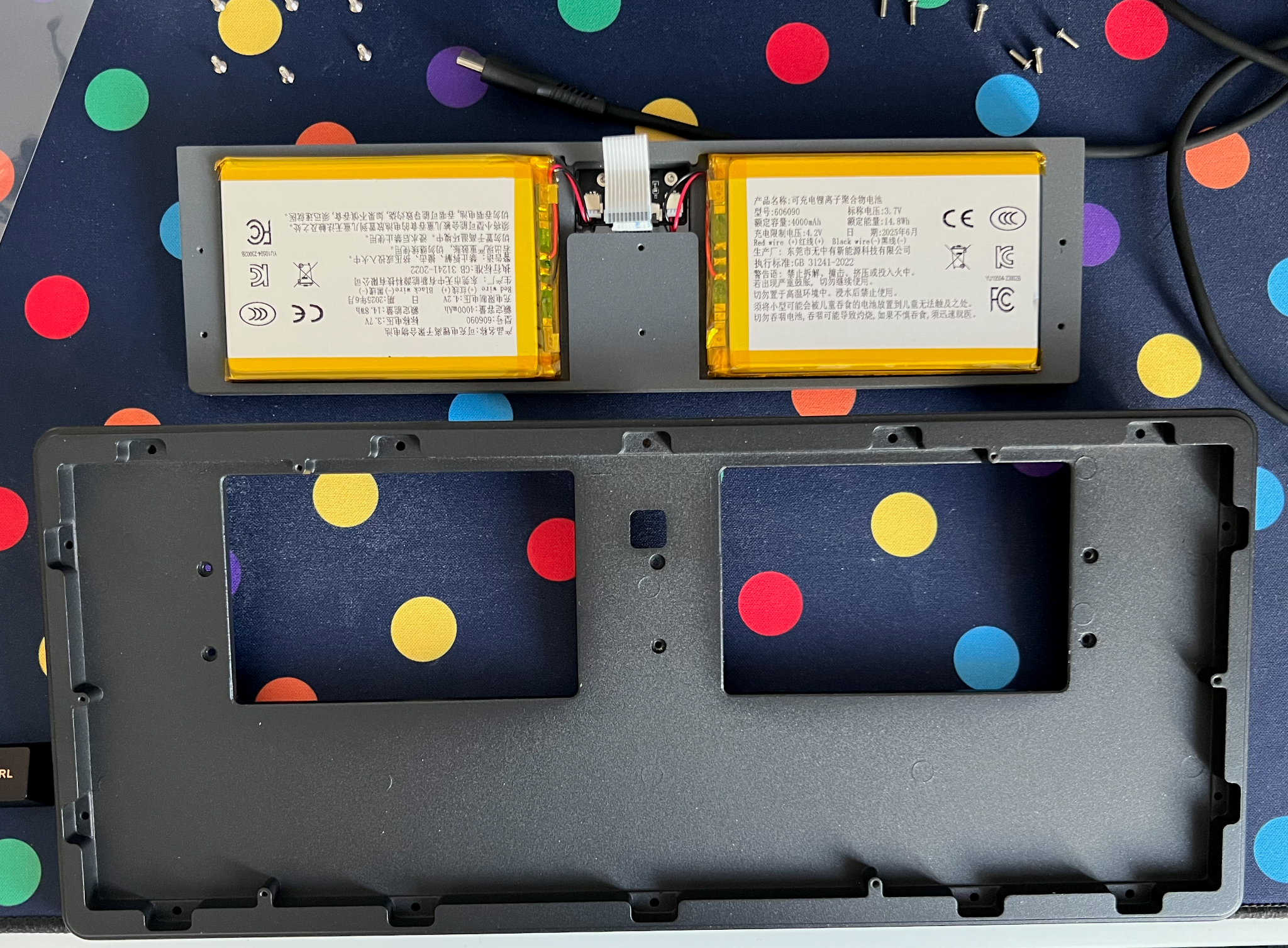
There isn't much to the board, but it's all rock solid, hefty aluminium.
The SK75 TMR is as crisp inside as it is out, with the same finish finding its way into all the nooks and crannies of the board. Once the PCB is released from the flat-flex cable and set aside it reveals two large 4000mAh LiPo batteries nestled in the bottom of the case. These are taped to the weight, but stick through apertures in the bottom case, presumably to keep everything condensed. It’s not a bad design- another six screws release the weight, and the ribbon cable pulls through a slightly-too-small aperture to release the very hefty weight and its attached components.
Overall
I can’t be too hard on this board, because I adore how it looks, but it’s really sorely lacking in feel and sound. I imagine most beginners to the hobby (of obsessing over the details of mechanical keyboards and owning too many…) wont find this as objectionable as I do. But if you’ve listened to at least one good sound test online, you might notice something’s up.
Despite its shortcomings the build quality, fit and finish of the SK75 TMR is brilliant and it’s a very refined, grown-up looking board you’d get away with doing serious business things on.
As mentioned Fn + M key combo to switch to macOS mode (swap Win and Alt) did not work for me 🙁 out of the box, but booting up my Windows laptop and using the Windows-only software to manually remap these keys solved that pretty handily. I fed this back to Womier, and got an updater to potentially fix the problem but trying it across a total of three different operating systems resulted in no luck actually getting it to update my board. Oh well. Hopefully the new Void switch versions of the board will have this fix!
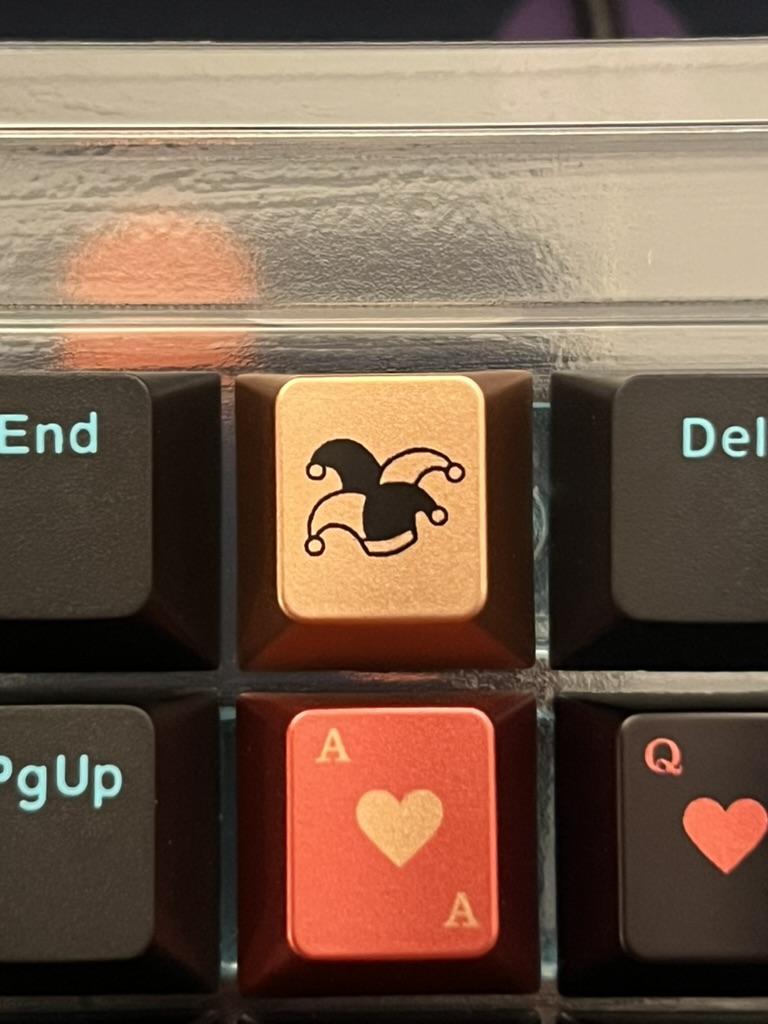
Despite the addition of red, these Womier Spade keycaps fly a little too close to GMK's Black & Gold Casino Royale novelties for comfort. 😬
Note that pictured are Womier’s “Spade” keycaps which I really quite enjoy, but I am very conflicted about them. They are very heavily inspired by GMK’s Black & Gold Casino Royale Novelties, and while they bring such innovation as the colour red, accent gold F and J keys, and very obviously their own shape of heart, spade and club the similarities – down to an identical jester hat novelty – are too difficult to ignore. I also can’t ignore that they look phenomenal on this board.
At time of writing you can pre-order the Void switch variant of the SK75 TMR for just £138. That’s such good bang for your buck that I’d recommend picking up some keycaps to make it your own!