Wobkey Rainy75 Pro Mechanical Keyboard Reviewed
I promised Wobkey I’d get weird with the Rainy 75, and as I begin to pen this review I don’t really know what shape that weirdness will take. I certainly started strong, though, since the first thing I did with this keyboard was to take it apart, unplug the batteries and USB port from the main PCB, and put it back together again- rendering it useless. That’s not the sort of weird I was aiming for. I ought to sleep more. After disassembling and reconnecting the battery I switched to the more reasonable and measured approach of, y’know, actually using the thing.
Rainy75 is named for its sublime sound profile, a pitter patter of keys that evokes raindrops. It’s a bold claim to make, but one that’s entirely substantiated by this beautiful sounding yet delectably affordable, complete board.
Wobkey were kind enough to supply me the Rainy75 Pro in anodized silver, with Cocao switches. It differentiates itself from the only slightly cheaper entry level Rainy75 Pro by having an FR4 plate (vs the stock polypropylene), RGB backlighting and double the battery capacity (7000mAh vs 35000mAh) achieved by doubling up on the LiPo battery packs nestled in the bottom of the board. While none of these things are essential, the difference in price is $30 so it’s a “why shouldn’t I?” kind of upgrade.
I picked anodized silver because I’m in a bit of a silver mood at the moment. It’s an interesting, neutral colour that feels clean and professional without resorting to being black (or white, I suppose.) The board is crisp and clean almost to a fault, with only the raincloud logo on the blocker between PgDn and right arrow alluding to its name.
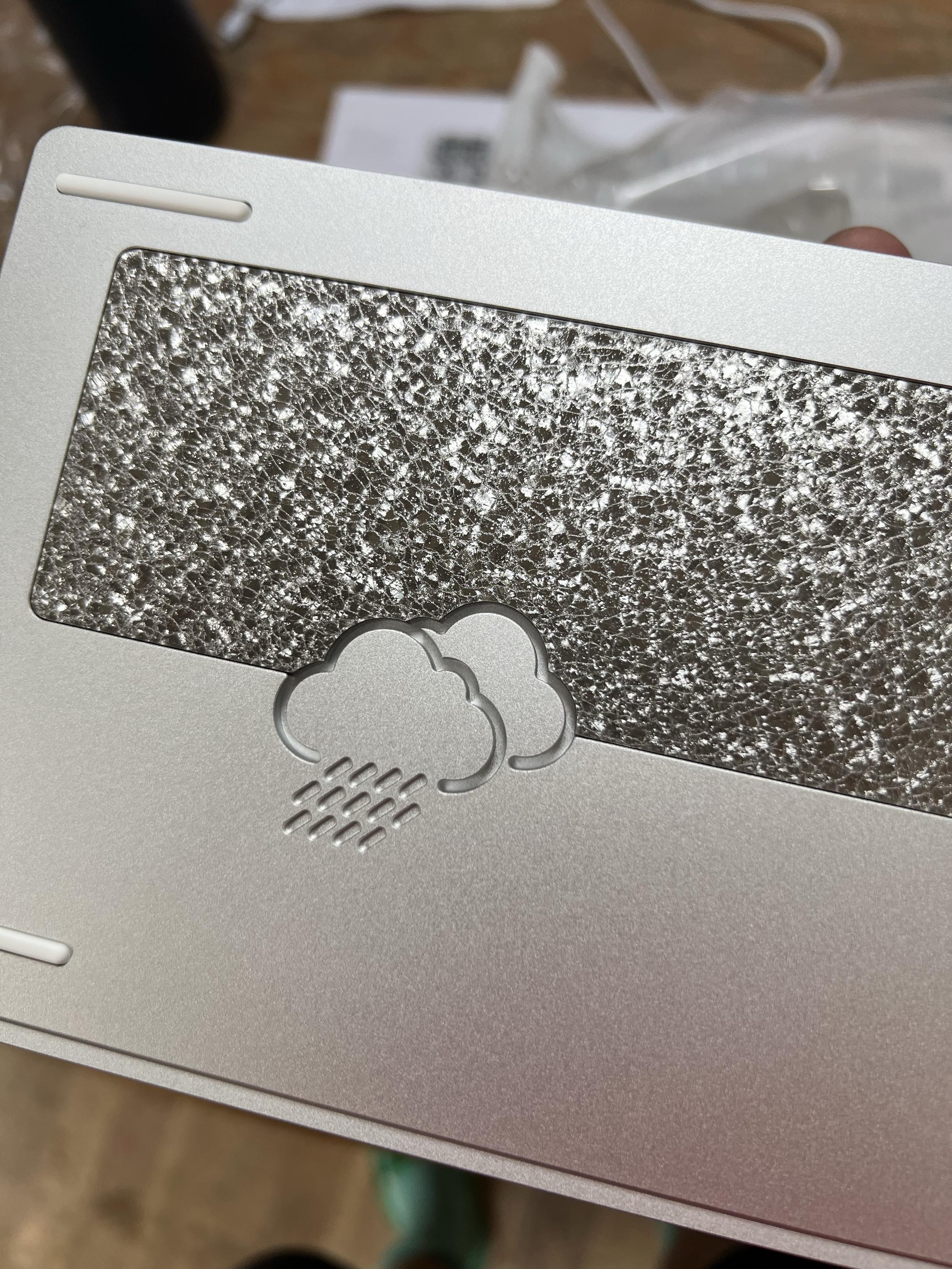
A leather-like patina cast from metal. Recycled milling chips, maybe?
On the back, though, is a shimmering weight with an intriguing leather-like patina. Sintered, recycled milling chips, perhaps? Wobkey themselves say the weight is stainless steel that’s undergone a series of grinding and etching processes. Whatever the process, the result is immensely satisfying with a unique, crystalline pattern and satisfying tactility. Cut into this and the bottom of the board is a debossed cloud, notably different to the one on the top but normally hidden such that you wouldn’t notice. It spans between the board and weight materials, an intentional detail that ties the two together.
Teardown
The board is built around a hefty two part aluminium case, with screws accessible from the top hidden beneath pairs of keycaps- F2/F3, F11/F12, PgUp/PgDn, Fn/Ctrl, Win/Alt and finally Tab/Caps-lock. It’s easy to see these screws underneath the keycaps, and just remove the caps you need to access the inside of the board, though the top shell does snag slightly on the PgUp/PgDn switches as it lifts up. The construction is very similar to the Womier SK75 TMR.
Caps-lock also hides the on/off switch, a controversial feature that keeps the outside of the board clean and uncomplicated. It’s almost a rite of passage for new mechanical keyboard owners with hidden switches to wonder why their board isn’t working and while I was initially skeptical of this choice, I’m warming to it. Most, but not all, of the keyboard I’ve tested with hidden switches have a decent battery life, rendering “off” pretty redundant. Rainy75 has an especially good battery life, which is great because it’s going to live in my desk and be a frequent daily driver.
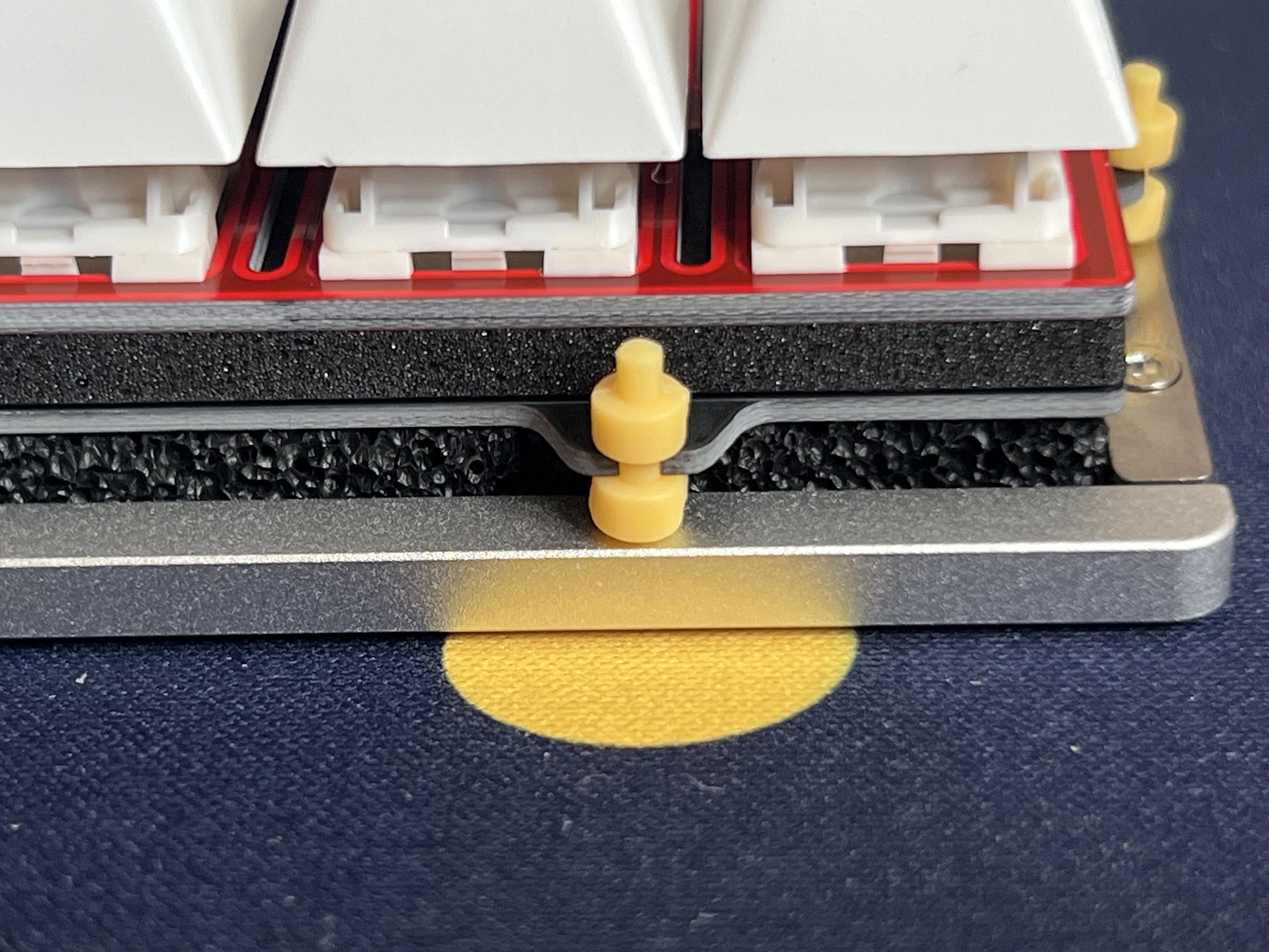
A grommet mount plate. The vibrant yellow grommets are a welcome choice- easier to find when you drop them on the carpet!
The two halves of the keyboard sandwich a total of 14 grommet-style (or dumbbell if you will) mounts which isolate the PCB from the housing. They have a nasty habit of falling off when lifting out the PCB though, so it’s a saving grace they’re brightly coloured.
The PCB is shored up with the usual foam, and the batteries protected by the usual layer of film. It’s a wonder, then, where Rainy 75 gets its characteristic sound. There’s no smoking gun, no standout feature that explains it but if you compare it to a board like Womier’s miserable sounding SK75 TMR (which has a similar case construction and FR4 plate), there is simply no contest.
One of the “weird” things I wanted to tackle was hijacking the RGB backlighting and feeding it my own signal so I could map out the LEDs and create more interesting lighting patterns, or perhaps do something silly like have a simple web app to control my keyboard lighting over the network. Rainy75’s PCB designers utterly thwarted my efforts, though, by being conscientious enough to turn off the power supply to the RGB LEDs when they are switched off via the keyboard hotkey.
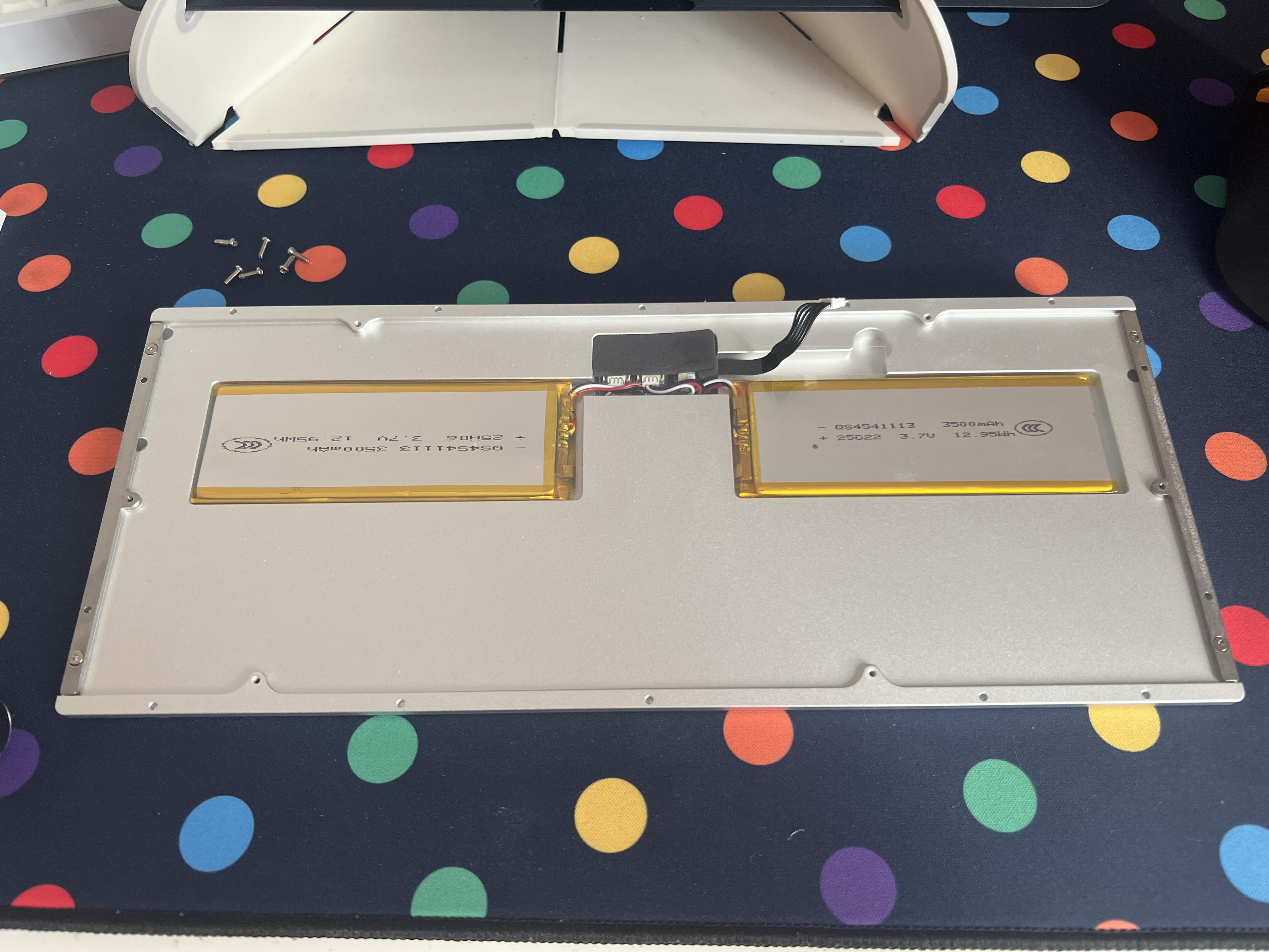
More than a little battery in this thing!
This, no doubt, is what has allowed Rainy75 to stay powered on in an alcove in my desk for weeks and yet be ready to go when I wanted to test it again. To be fair I’ve tried this trick on a sum total of two other boards, where it worked without issue, so I don’t know how prevalent good power engineering is. Though having invested a lot of time and money into seeing where my Meletrix Zoom75 battery was going… I certainly know bad power engineering can crop up where you don’t expect it. Suffice to say, Rainy75 cutting off the LED power – even if they might otherwise be driven to “black”, or sent a signal to turn off and then left that way, could potentially save around 50mA. To put this in real terms – with a 7000mAh battery just the LEDs doing nothing could drain it flat in six days. This is a far cry from the weeks of downtime I’ve seen from this board. Rainy75 has good electrical engineering to back up its good sound engineering.
Another cute detail, while I’m still digging around inside the board, is the MCU – the board’s brain if you will – has a custom Wob silkscreen on it. Nice.
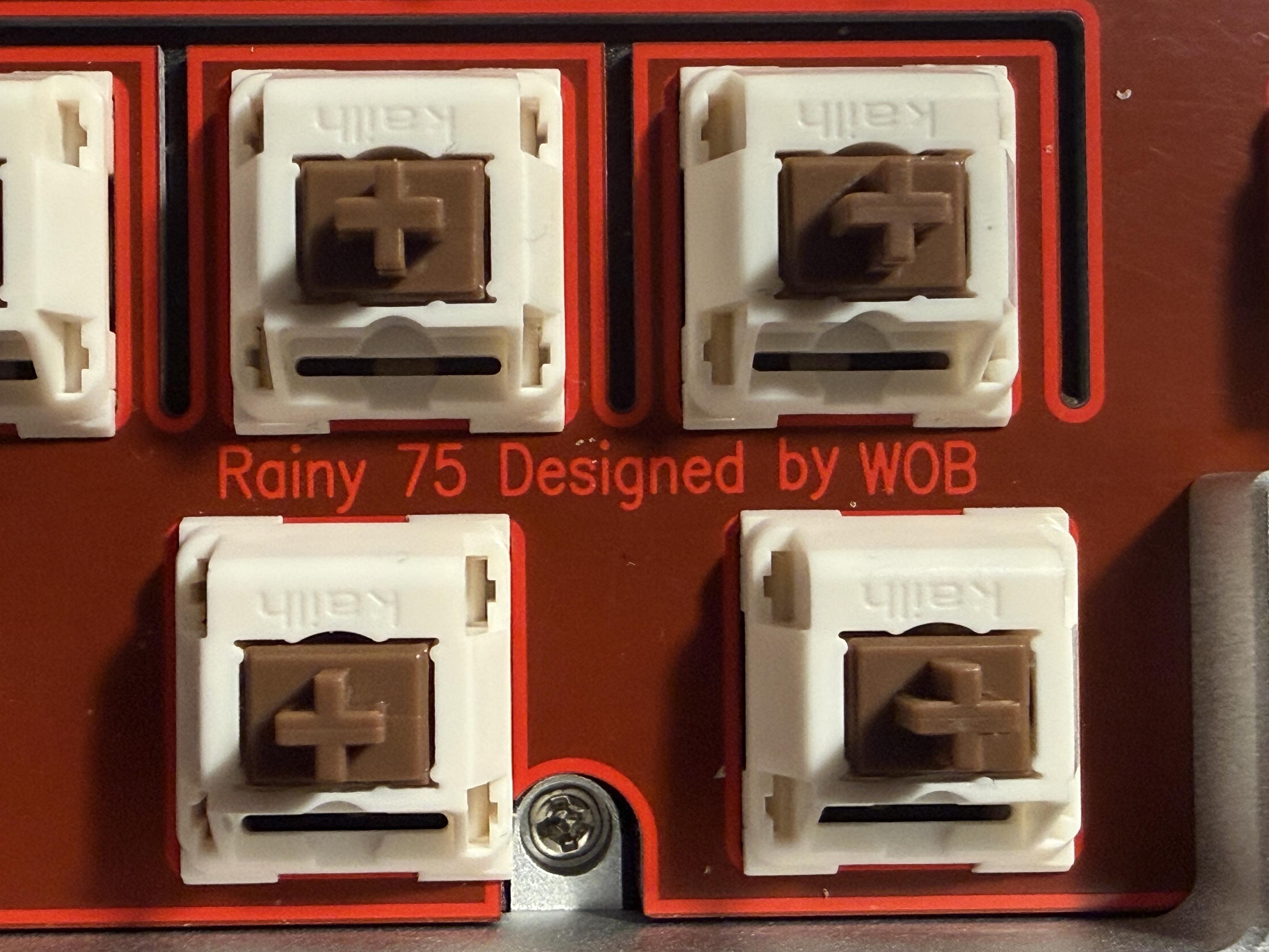
I am not a fan of this vibrant red plate.
Where the impeccable design of Rainy75 falls flat is its flex cut, PCB (FR4) plate. There’s nothing wrong with it functionally, but it’s part of the “Pro” upgrade but visually it’s not great. It’s a two-tone red FR4 plate that clashes quite significantly with the silver Rainy75 I picked and replaces the clean, simple polypropylene in the basic model. I think my getting weird might have to be attempting to paint the FR4 (or replace the plate). That said, upon disassembling the PCB and plate assembly to give this a try I discovered that the Rainy75 PCB is set up for screw-in stabilisers.
Before I launch into my experience with that madcap adventure, though, there are – at least – replacement Rainy 75 plates available on AliExpress in every material you might want including POM, Polypropylene, Brass, Aluminium, Carbon Fibre and Polycarbonate.
Perhaps I could swap to screw-in stabilisers and go plateless?
Yes. Yes I could. I borrowed some screw-in stabs out of my ISOXLIIS build and ditched both the plate and foam from the Rainy75’s PCB assembly. The result is an array of neat, orderly switches famed against the plain black of the PET pad which sits directly on top of the PCB. No more red, but rather a lot more glowing switch housing and LED glaring directly into my eyes. Swings and roundabouts, I guess. More noticeably it didn’t do many favours for the sound of the Rainy75- I guess you can’t really improve on perfection. The creak and rattle of an new and unlubed spacebar stabiliser is perhaps the worst offender, and I’m sure it could be fixed with a little care.
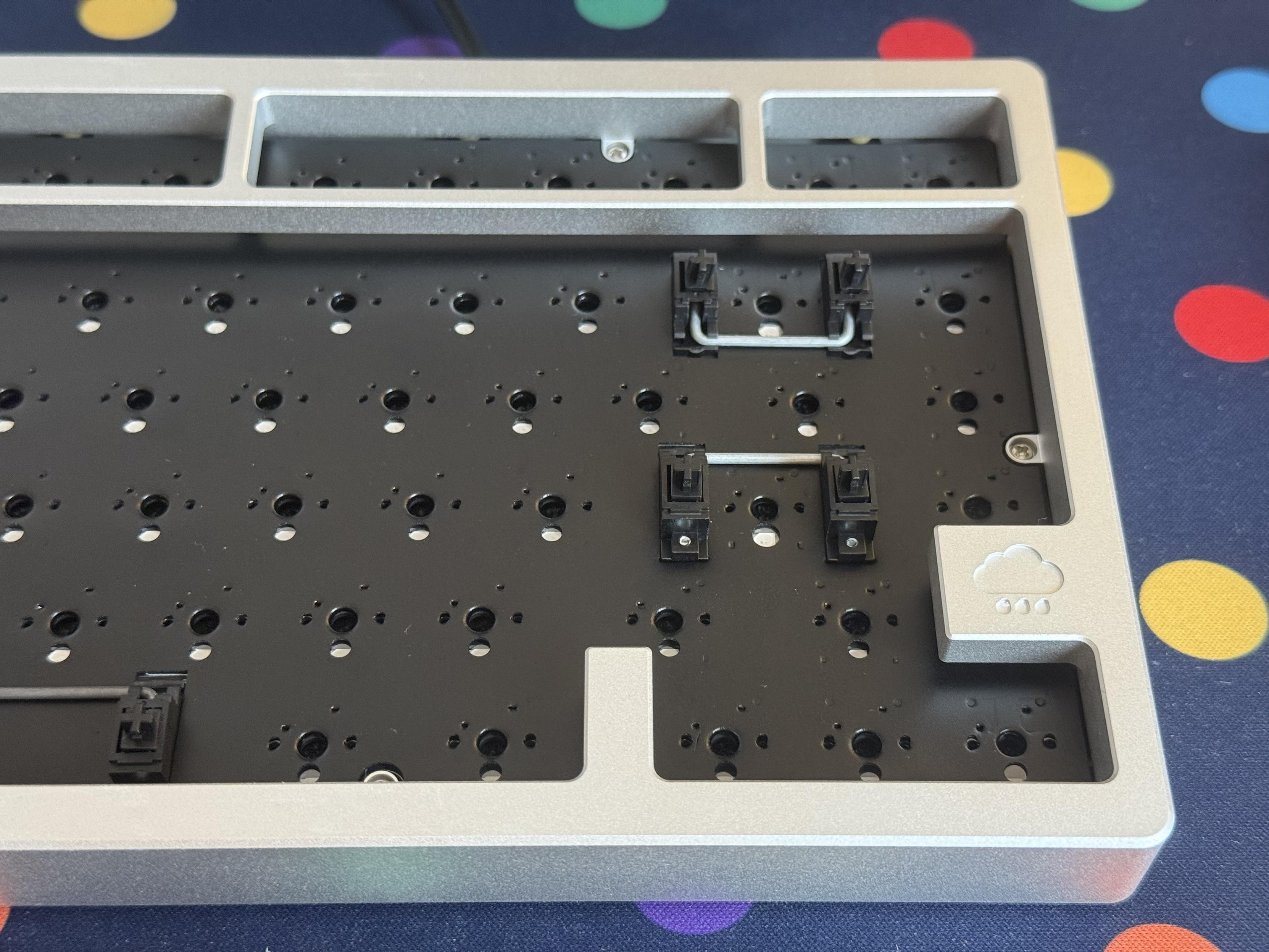
What’s this! Support for screw in stabilisers?
Here’s a sound test, just so you can share my pain.
Despite the switches being held in by hopes and wishes, they normally clip securely into the plate, I haven’t had any issues with dislodging them. Maybe plateless is the answer! Now I ought to lube that spacebar stabiliser but I’ve lost the lube pen I bought expressly for that purpose. It’s been a busy few months!
Overall
Overall, Rainy75 is a very solid board with a great sound right out of the box and ample opportunity to tweak it further. It’s thoughtfully designed, with a decent battery life and long, long, long idle time (it’s taken me ages to get this review written, so it has spent many weeks idle in my desk without ever being switched off.) I had an enormous amount of fun tweaking and tinkering with the Rainy75. So much so that it took me seven months to finally concede and post this review. I still have a brand new lube pen ready to try, but so many other things to be doing.
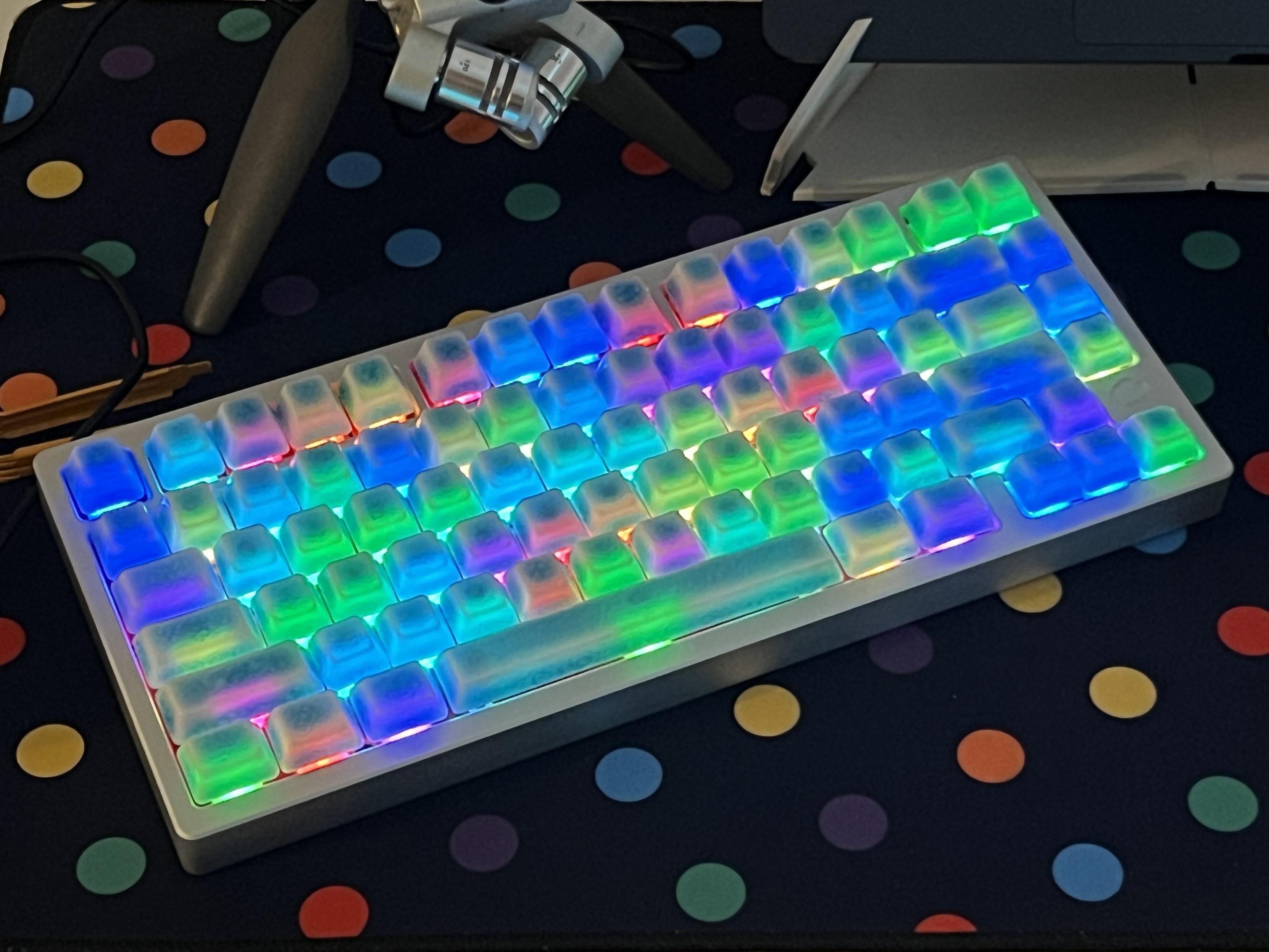
It looks quite wild with Cerakey crazed caps and pastel backlighting.
With Cerkey’s Crazed Ceramic caps installed the sound goes from excellent to excellenter, though swapping the stabilisers and switching to plateless has ruined it somewhat. I would not recommend this unless you’re comfortable tuning a board., since a squeaky, rattling spacebar will inevitably infuriate all but the most dispassionate keyboard user.
You can pick up the Rainy75 Pro directly from Wobkey for – at time of writing – just a smidge over $127 shipped apparently domestically. That’s a deadly keen price for such a great board, and no doubt plays a part in its popularity.